








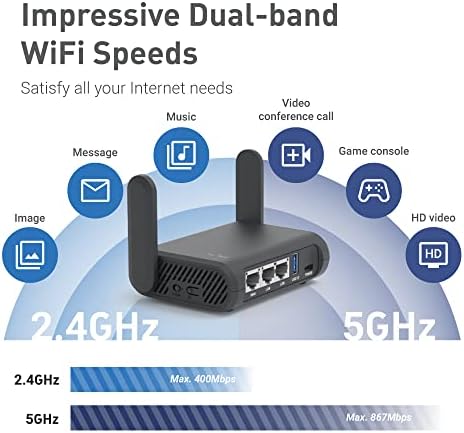
GL.iNet GL-A1300 Pocket VPN Travel Router - Portable Wi-Fi Router for Travel, Easy to Set up, Connect to Public & Hotel Wi-Fi login Page
(0
评论)
估计运输时间:
7 天
所售:
内部产品
内部产品

价格:
$69.99
/pc
退款:

分享:
畅销产品



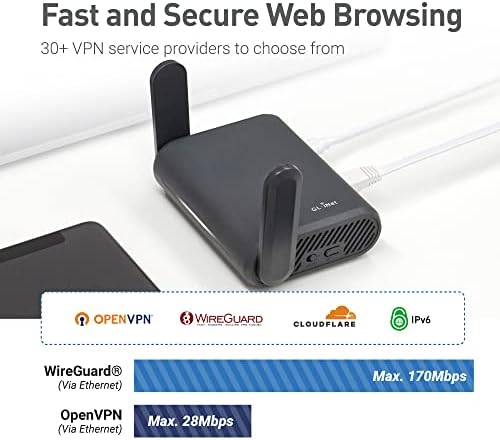
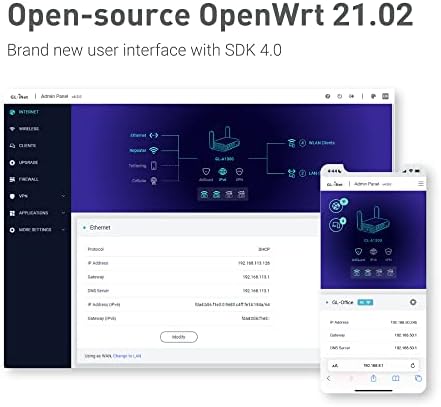
【VPN INTERNET KILL SWITCH】 This is a countermeasure concept of activating a single shut off mechanism for all Internet traffic. If this feature is enabled, the router needs to run the a VPN client(OpenVPN or WireGuard) all the time, if any of the VPN client isn't running, the devices connected to the router are Not Allowed to access the Internet.【VPN POLICIES】You can define VPN routing policies, it is possible to use VPN for a specific website/IP while maintaining a normal Internet traffic without VPN for others. 【Enable VPN or AdGuard Home Easily】Immediately enable/disable your selected feature (AdGuard Home or OpenVPN Client or WireGuard Client) through the physical toggle switch. ***The default setting of the button is NO Function, you need to set it in the admin panel before using this function.***【ADGUARD HOME】AdGuard Home is a network-wide software for blocking ads & tracking. After you set it up, it'll cover ALL your home devices, and you don't need any client-side software for that, you could set it up from the online admin panel.【ENCRYPTED DNS WITH CLOUDFLARE】DNS over TLS is a security protocol for encrypting and wrapping Domain Name System (DNS) queries and answers via the Transport Layer Security (TLS) protocol. The goal of the method is to increase user privacy and security by preventing eavesdropping and manipulation of DNS data via man-in-the-middle attacks.【SEPARATING PRIVATE WIFI AND GUEST WIFI】A guest Wi-Fi network is essentially a separate access point on your router. Your home devices are connected to one point and joined as a network, and the guest network is a different point that provides access to the Internet, but not to your home network. This could increase security for your network.
该产品暂无评论。
相关产品




TikTok Shop致力于持续地为商家提供优质与便捷的服务,为了支持全球更多符合资质要求的跨境自运营(POP)优质商家布局欧洲市场,为英国、西班牙、德国、意大利、法国消费者提供优质的商品和服务,平台为响应国家政策发布欧洲五国入驻标准更新,助力商家实现多国生意增长。
联系方式
- 地址: 5800 Bristol Parkway, Culver City, Los Angeles, CA 90230
- 电话: +1 (424) 351-0993
- 电子邮件: info@tiktok.com