











Aurzen BOOM mini Google TV Movie Projector with WiFi and Bluetooth, Voice Control, Family Mode, 20W Dolby Audio, Real-Time Focus, 4K Supported Smart Portable Home Theater Projector Outdoor, Black
(0
评论)
估计运输时间:
7 天
所售:
内部产品
内部产品

价格:
$229.99
/pc
退款:

分享:
畅销产品



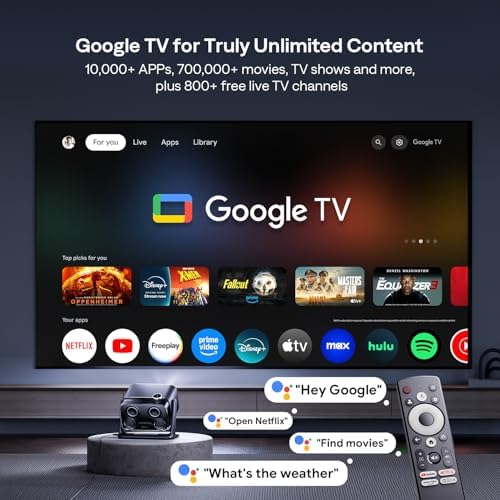
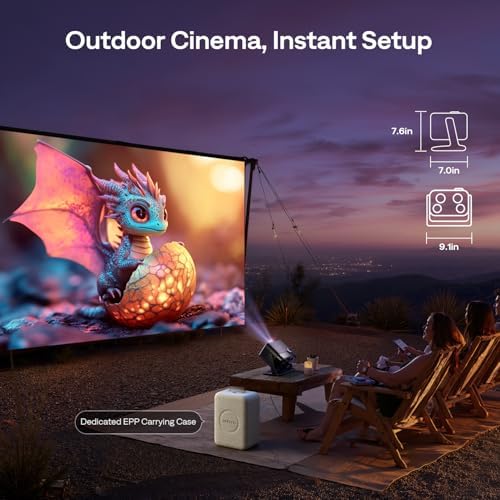
Aurzen Statement:Aurzen, we stand by true brightness, no exaggeration. As an industry leader in transparency, Aurzen's proactive SGS certification (ANSI/ISO 21118) guarantees honest brightness, cutting through exaggerated claims to ensure every detail is rendered with crisp, vibrant, and trustworthy clarity. SGS, a globally recognized testing and certification authority, it ensures the accuracy and credibility of our brightness standards.Real-Time Focus, Ready in 3 Seconds: Powered by advanced ToF technology, BOOM mini portable 4K supported projector delivers real-time auto focus and keystone correction in just 3 seconds—far faster than others in its class. Even if moved or bumped, it instantly readjusts, keeping visuals sharp and your experience uninterrupted. Ensure an immersive viewing experience.Smart Projector with Two-way Bluetooth & Dual-band WiFi: BOOM mini movie projector with Wifi and Bluetooth offers flexible connectivity—use it as a Bluetooth speaker or pair with your favorite audio gear. Stream seamlessly with dual-band WiFi (2.4G & 5G) for fast, stable performance. In addition to the genuine Google TV system, the traditional Wifi and Bluetooth connection functions are also retained for screen projection and connecting to other devices.Portable, Eye-Comfort Design - Big Screen Entertainment, Anywhere: Engineered for comfort and portability, the BOOM mini smart projector features a compact form factor and soft diffusion technology to significantly reduce eye strain during extended viewing. Its versatile design is your ticket to a large-screen, comfortable experience—whether as a permanent ceiling projector for your home theater, the centerpiece of a cozy Christmas movie night, or an outdoor cinema—with effortless setup and seamless casting.[NOTES] Why don't picture settings work in Projector Mode? - In Projector Mode (Google TV), picture settings (brightness, contrast, color, etc.) only apply during video/image playback, allowing you to customize the image. Home/Menu pages use the default picture mode. It doesn't affect usage, please don't worry. In Screen Projection Mode, picture settings apply to all screens.
该产品暂无评论。
相关产品




TikTok Shop致力于持续地为商家提供优质与便捷的服务,为了支持全球更多符合资质要求的跨境自运营(POP)优质商家布局欧洲市场,为英国、西班牙、德国、意大利、法国消费者提供优质的商品和服务,平台为响应国家政策发布欧洲五国入驻标准更新,助力商家实现多国生意增长。
联系方式
- 地址: 5800 Bristol Parkway, Culver City, Los Angeles, CA 90230
- 电话: +1 (424) 351-0993
- 电子邮件: info@tiktok.com